
Viewing location shift details
To view the details of a location shift, the worker taps the shift.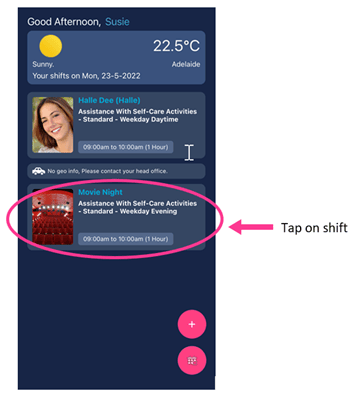
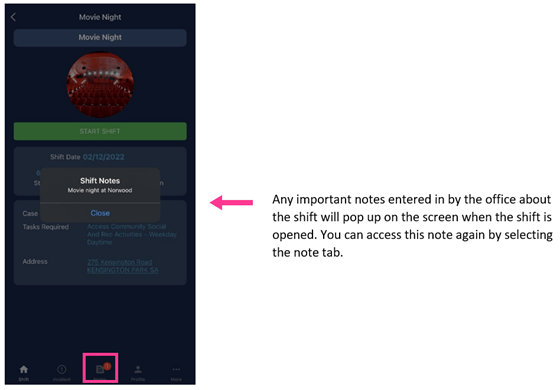
Adding notes and incidents
To add a note against the location, the worker taps the More button within the shift. To enter notes or lodge an incident against a specific client attending the location, the worker taps the Client tab and selects the client’s name.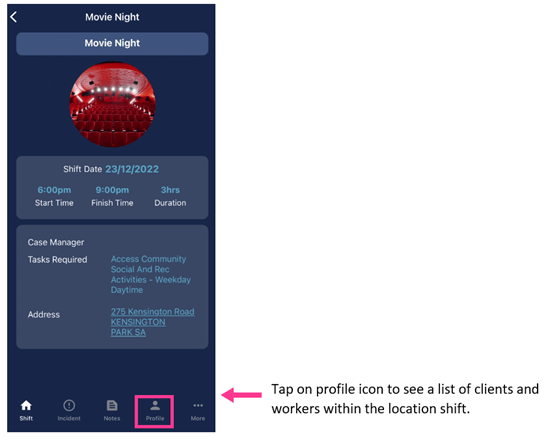
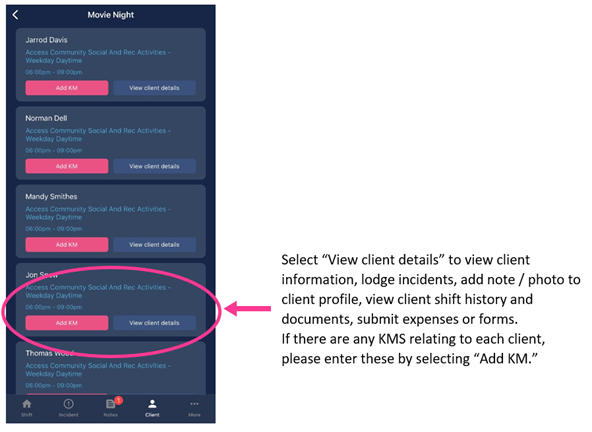
Clients linked to the location appear in Vworker even when they are not assigned to a shift in the location roster, for example a client living in a SIL house.
Recording kilometres on a location shift
Workers record kilometres against either a specific client at the location or the location itself. After starting the location shift:- Against a client: tap Profile to show the list of clients rostered at the location, then tap Add KM for the relevant client
- Against the location: add the kilometres directly on the location profile
Seeing other workers on the shift
If enabled by the office, workers see the other workers assigned to the same location shift.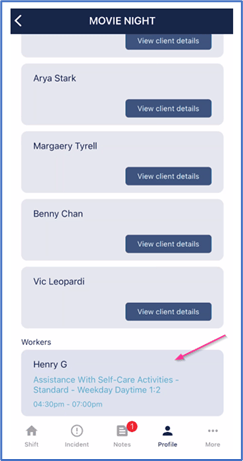
Running into issues?
See Timesheet troubleshooting for common errors and fixes.Related articles
Vworker: Clocking in and out
How workers start and complete shifts through the app
Location shifts
View location roster timesheets in VCore
Vworker: Menu overview
Overview of all features available in the Vworker app menu