
Setting up vOnboard
The vOnboard portal allows workers to enter their own details during onboarding, reducing manual data entry for your office team.What you’ll need
- A worker profile created in VCore with the following fields completed:
- First Name and Last Name
- Web Username
- Web Enabled ticked
- vOnboard Portal ticked
Instructions
1
Configure the worker profile
Open the worker’s profile in VCore. Make sure the required fields above are filled in, and both Web Enabled and vOnboard Portal are ticked.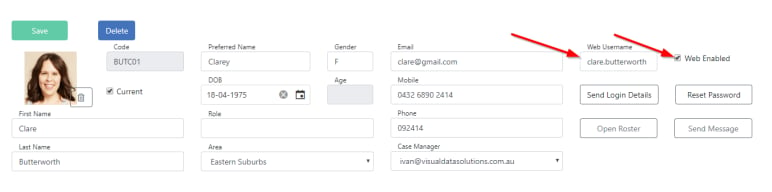
2
Send login details
Click Send Login Details at the top of the profile. This emails an invite to the worker with instructions to log in and complete their onboarding information.The first time the worker logs in, they are prompted to create a password.
3
Assign a case manager
To receive email notifications when a worker updates their profile through vOnboard, assign a Case Manager to the worker in their VCore profile.
Setting up Vworker
The Vworker app gives workers access to their shifts, leave requests, messaging, and more from their mobile device.System requirements
Instructions
1
Enable web access
In the worker’s VCore profile, make sure Web Enabled is ticked and a Web Username is set. Click Send Login Details to provide the worker with their credentials.
2
Download the app
Workers download Vworker from the App Store (iPhone) or Google Play (Android).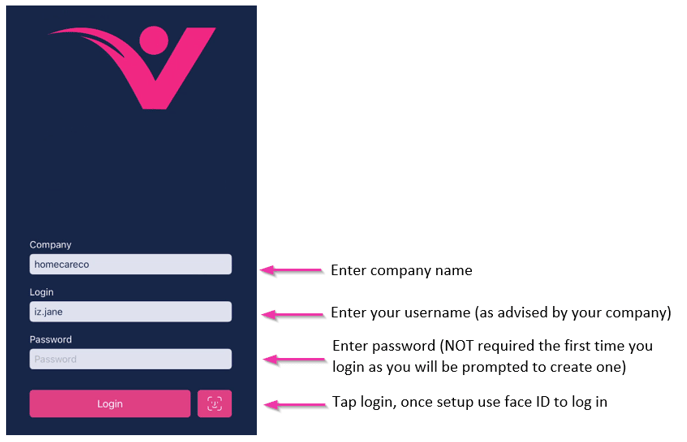
3
Log in and stay logged in
Workers open the app and enter their login details. Once logged in, they need to stay logged in to receive shift notifications.
4
Allow notifications and location
When the app opens for the first time, workers select Allow when prompted for notification and location permissions. These settings are also adjustable in the device’s Settings → Notifications → Vworker.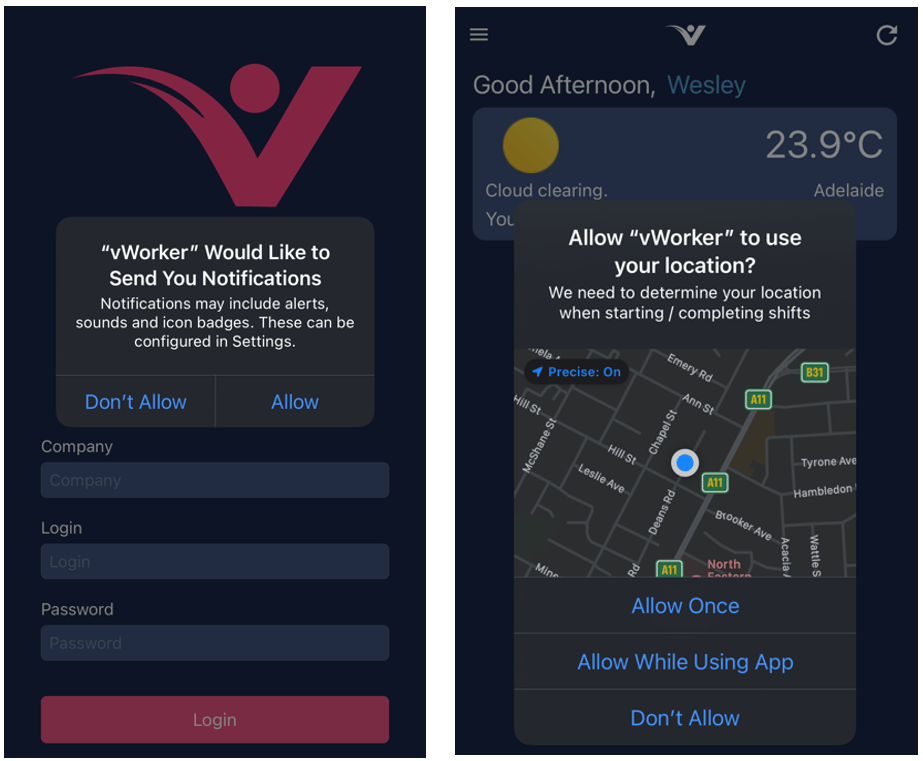
Some organisations need location services enabled at all times. Refer workers to your own policies and procedures for guidance.
Display settings
Workers choose between dark and light mode in their device’s Display and Brightness settings. The app also supports automatic switching based on daylight hours or a custom schedule.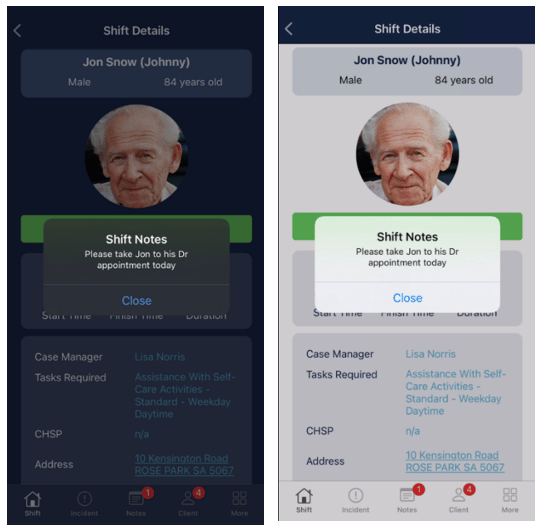
Security
Running into issues?
See Worker management troubleshooting for common errors and fixes.Related articles
Creating a worker profile
Set up a new worker in Visualcare
Messaging
Send and receive messages with workers
Offboarding a worker
Steps to offboard a worker from Visualcare