
Creating compliance items
Navigate to Maintenance → Clients → Client Compliance.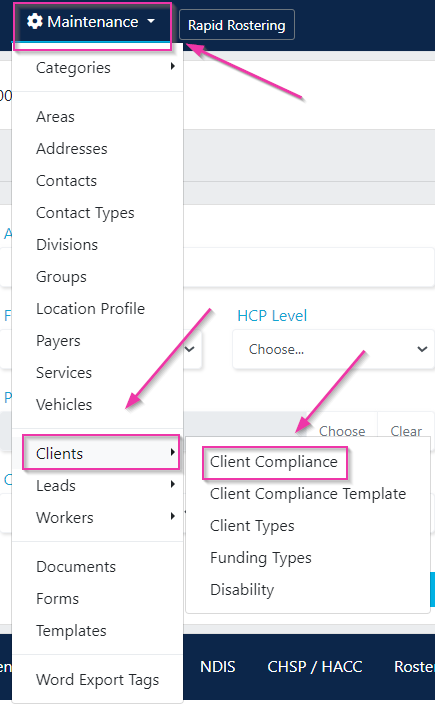
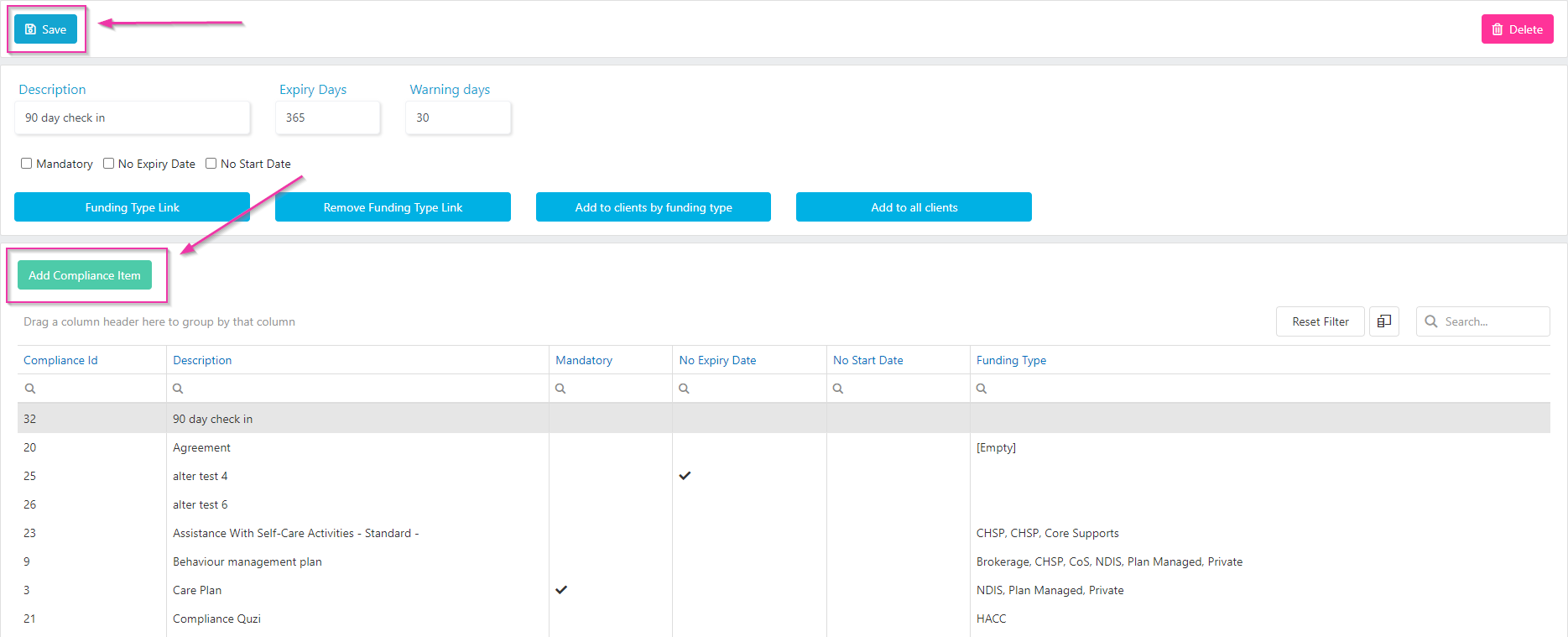
Click Save when finished. To edit an existing item, click on it, make changes, and click Save.
Linking compliance items to funding types
You link compliance items to specific funding types so that only relevant items appear on client profiles. There are several ways to make this connection:- Link directly to a funding type - the compliance item only appears for clients with that funding type
- Add by funding type - bulk-add the compliance item to all existing clients with a specific funding type
- Add to all clients - add the compliance item regardless of funding type
If compliance items are not linked to any funding types, all compliance items are automatically added to new client profiles when they’re created.
Compliance status tracking
Compliance items on client profiles track:- Expiry dates - when the compliance item is due for renewal
- Warning dates - when a warning is triggered before expiry (based on the warning days set during configuration)
- Mandatory status - whether the item is required for the client to remain compliant
Running into issues?
See Client management troubleshooting for common errors and fixes.Related articles
Managing client compliance
View and update compliance on individual client profiles
Required compliance items
Configure compliance items, templates, and funding types in Maintenance