
Setting up a CHSP agreement
Ensure the Agreement Type is set to CHSP, then click Save.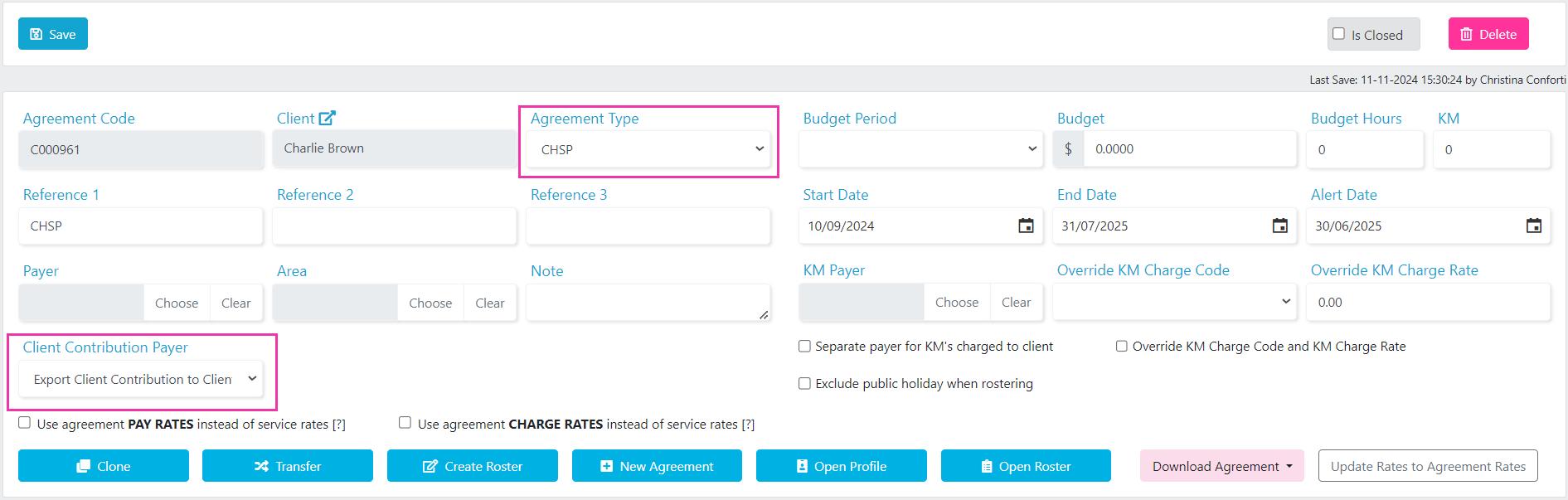
Client contribution payer
Under Client Contribution Payer, indicate where the client contribution for each service exports to. The options are:Adding CHSP services
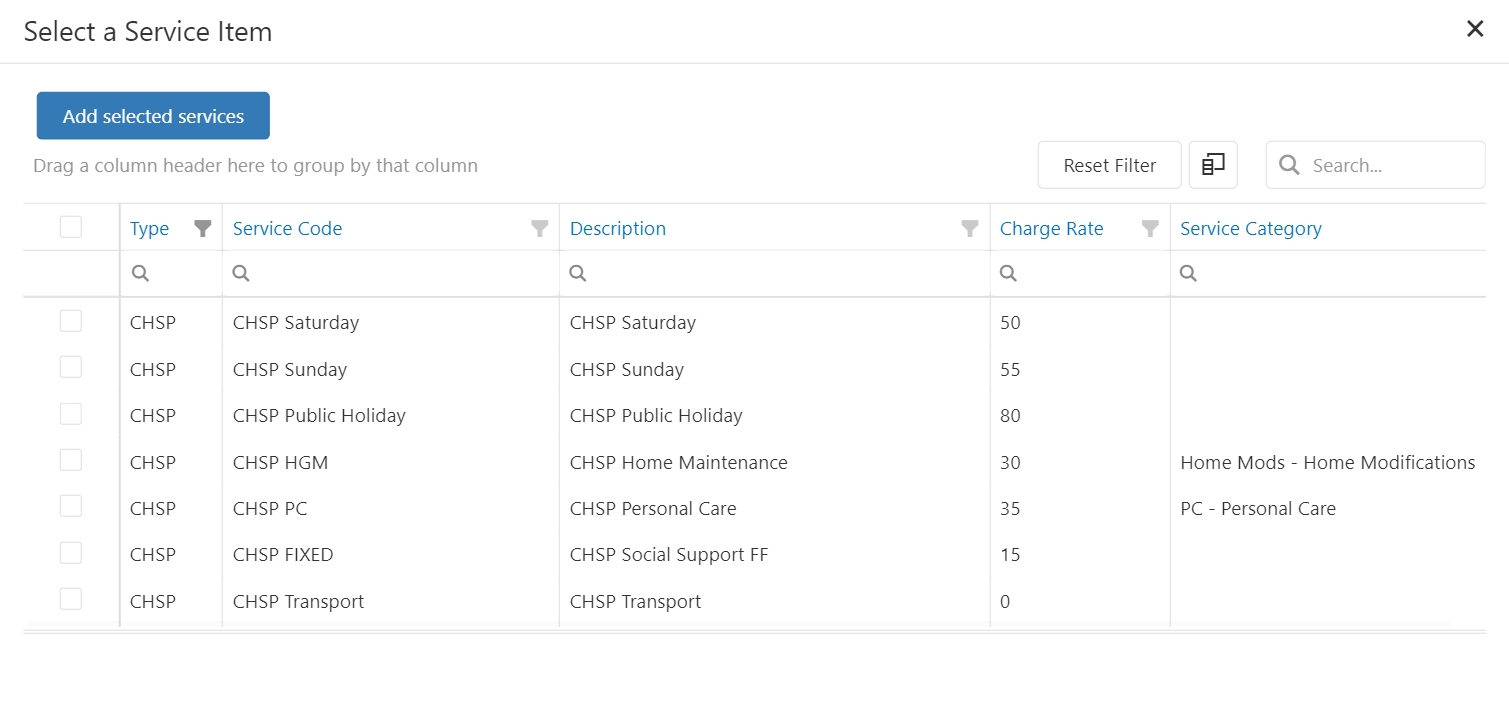
Add services in the bottom section of the agreement screen. Click Add Services, find the CHSP services, tick them, and click Add Selected Services.If a service is not listed, add it in Maintenance → Services.
- Client Contribution
- CHSP Payment Type
- CHSP Deduction Code
- DEX Case
- DEX Activity

CHSP payment type
The payment type links to the Client Contribution column. For each service line, click within the CHSP Payment Type column and choose either UNIT or SHIFT from the drop-down.DEX case and activity
To enable CHSP claiming, assign a DEX Case and DEX Activity to each service line in the agreement (or alternatively when rostering). Click within the DEX Case and DEX Activity columns and select the correct values from the drop-downs.Next steps
Once the CHSP agreement is set up, start rostering CHSP services:- For client shifts, see the client roster CHSP and DEX rostering guide
- For group activity shifts, see the location roster CHSP and DEX rostering guide
Running into issues?
See Client management troubleshooting for common errors and fixes.Related articles
CHSP and HACC configuration
Set up the client profile for CHSP or HACC funding
Creating agreements for rostering
General guide to creating client agreements