
Quick access panels
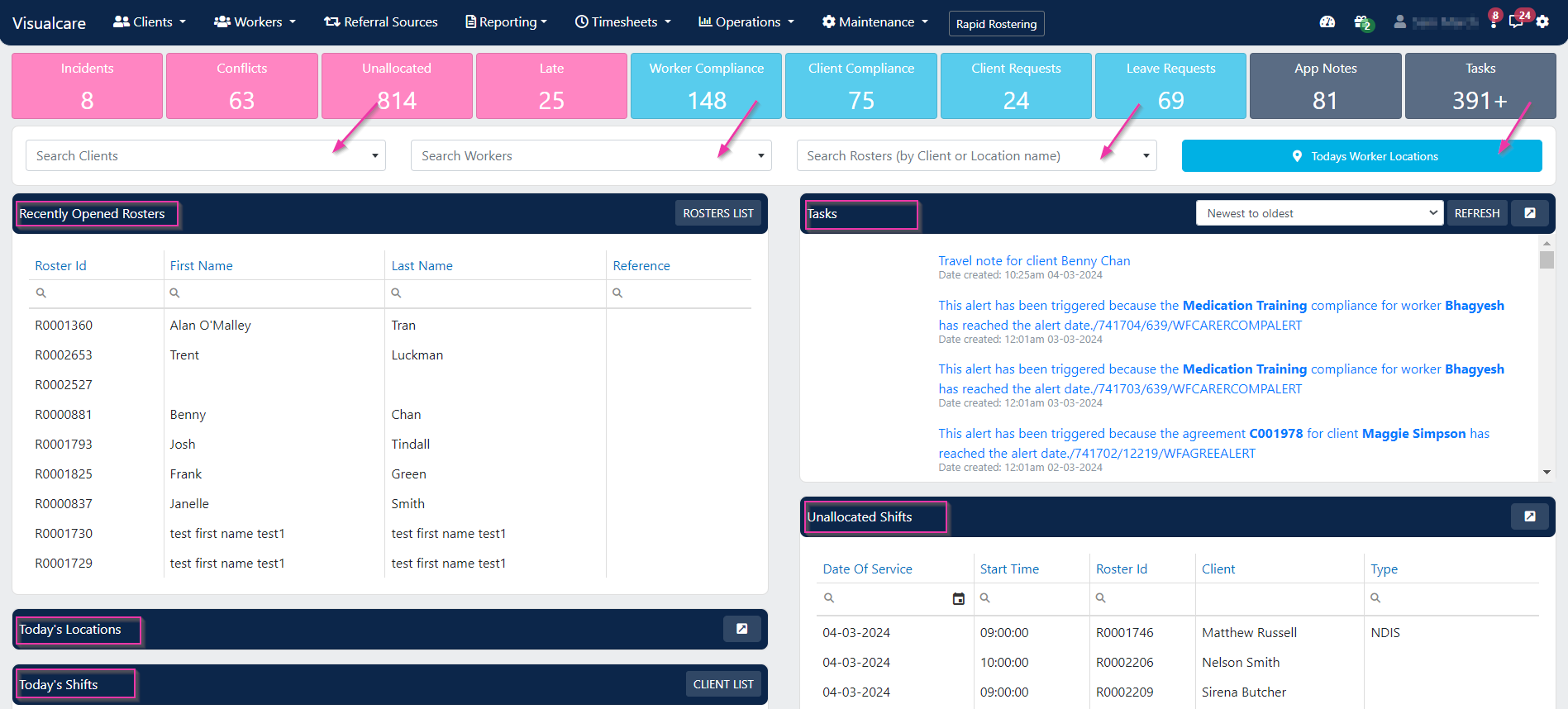
Shift map
The shift map shows the location of today’s shifts on a map. Each shift appears as a coloured pin: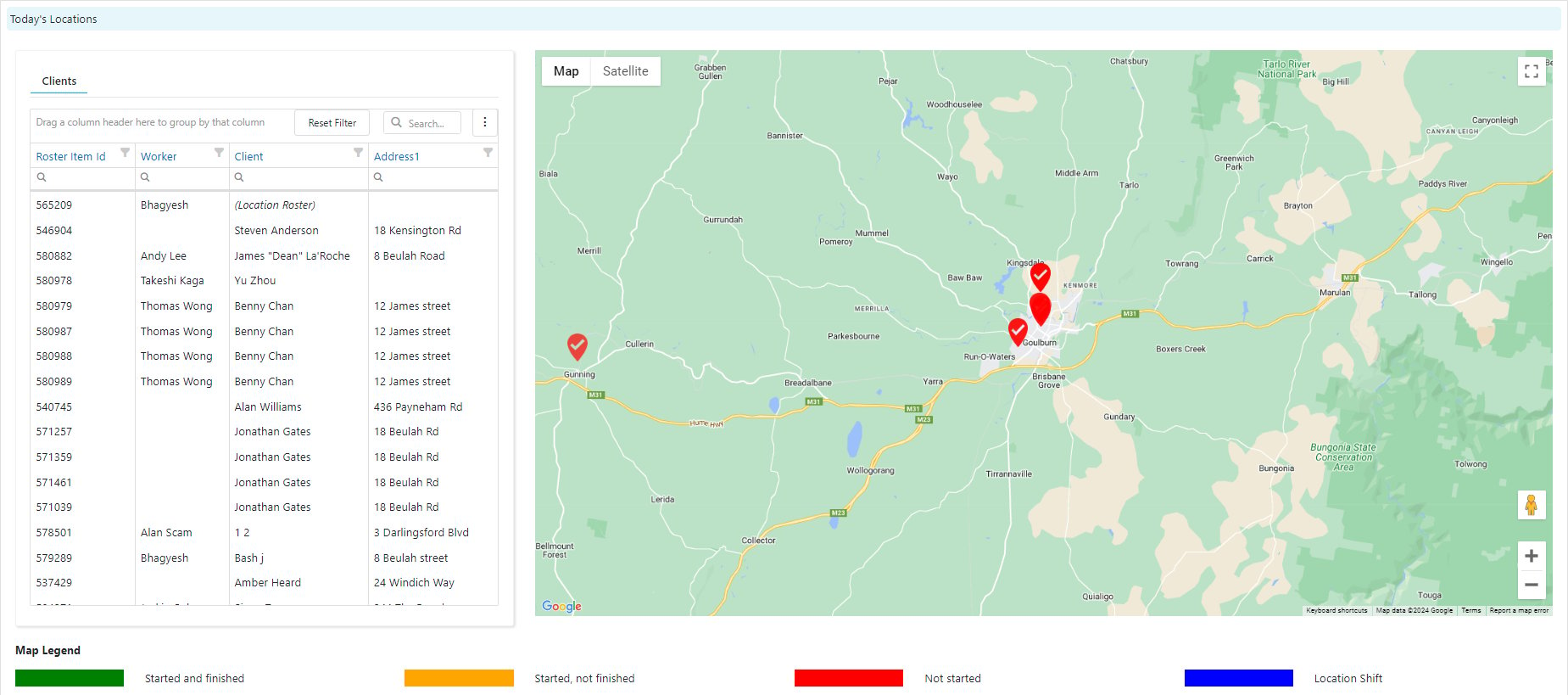
- Pins are colour-coded by shift status: not started, completed, or not finished
- Hover over a pin to see the shift details, including the client, worker, and shift time
- Use the map to quickly identify shifts that haven’t started or workers who are running behind
Search
The search panel on the home page lets you jump directly to a worker, client, or client roster without navigating through the menu. Start typing a name and select from the results.Tasks and unallocated shifts
The Tasks panel shows outstanding tasks assigned to you or your team. Click a task to open it and take action. The Unallocated shifts panel shows shifts that still need a worker. This helps schedulers identify gaps in today’s roster that need attention.Running into issues?
See Login and access troubleshooting for common login and access problems.Related articles
Dashboard overview
Header icons, KPI tiles, and product feedback
Column chooser
Customise which columns appear in table views
Unallocated shifts
Find and assign shifts that don’t have a worker