> ## Documentation Index
> Fetch the complete documentation index at: https://help.visualcare.com.au/llms.txt
> Use this file to discover all available pages before exploring further.
# Pay rates
> Configure bank details, pay rate levels, and financial information on a worker profile in Visualcare
The finance tab on a worker profile stores bank details, pay rate levels, tax information, superannuation details, and integration settings for your finance system.
If your organisation uses vOnboard, financial information entered by the worker flows through from the portal automatically.
## Bank details
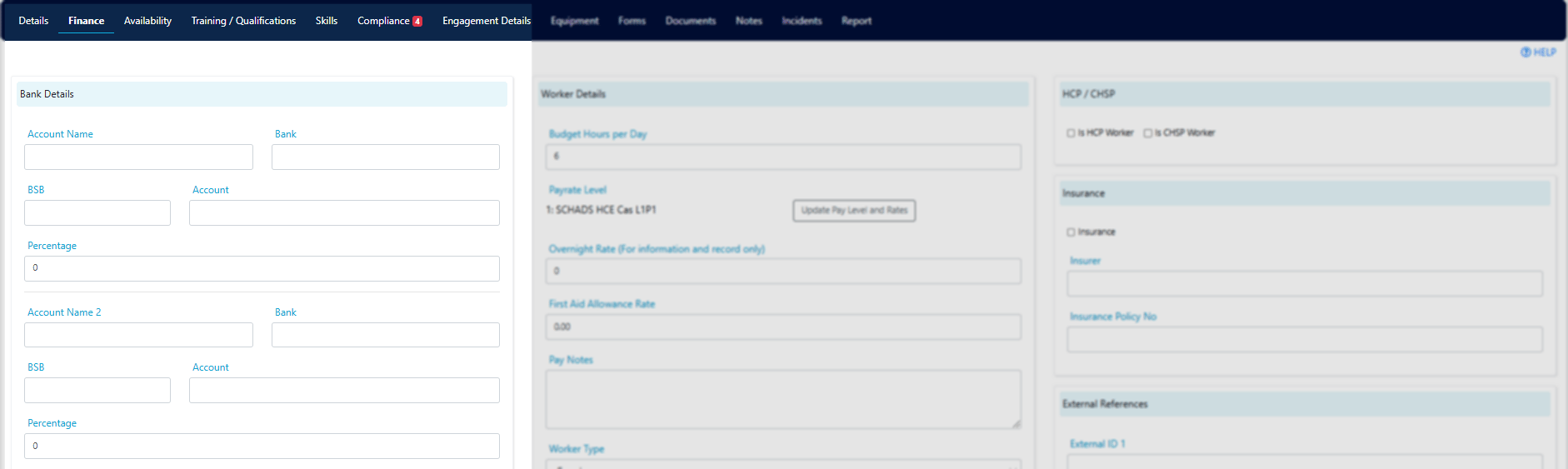
Enter the worker's bank account details. You have the option to enter up to three bank accounts.
 ## Part-time daily hour requirement
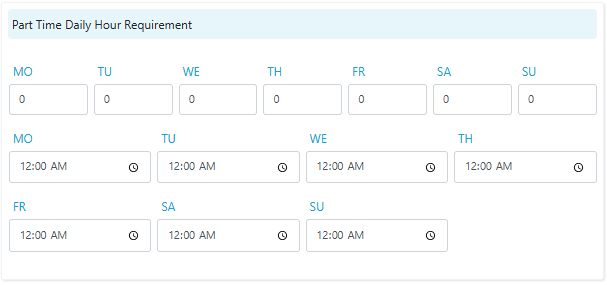
Enter a worker's part-time daily hour requirement here for information purposes.
## Part-time daily hour requirement
Enter a worker's part-time daily hour requirement here for information purposes.
 ## Worker details
 ### Pay rate level
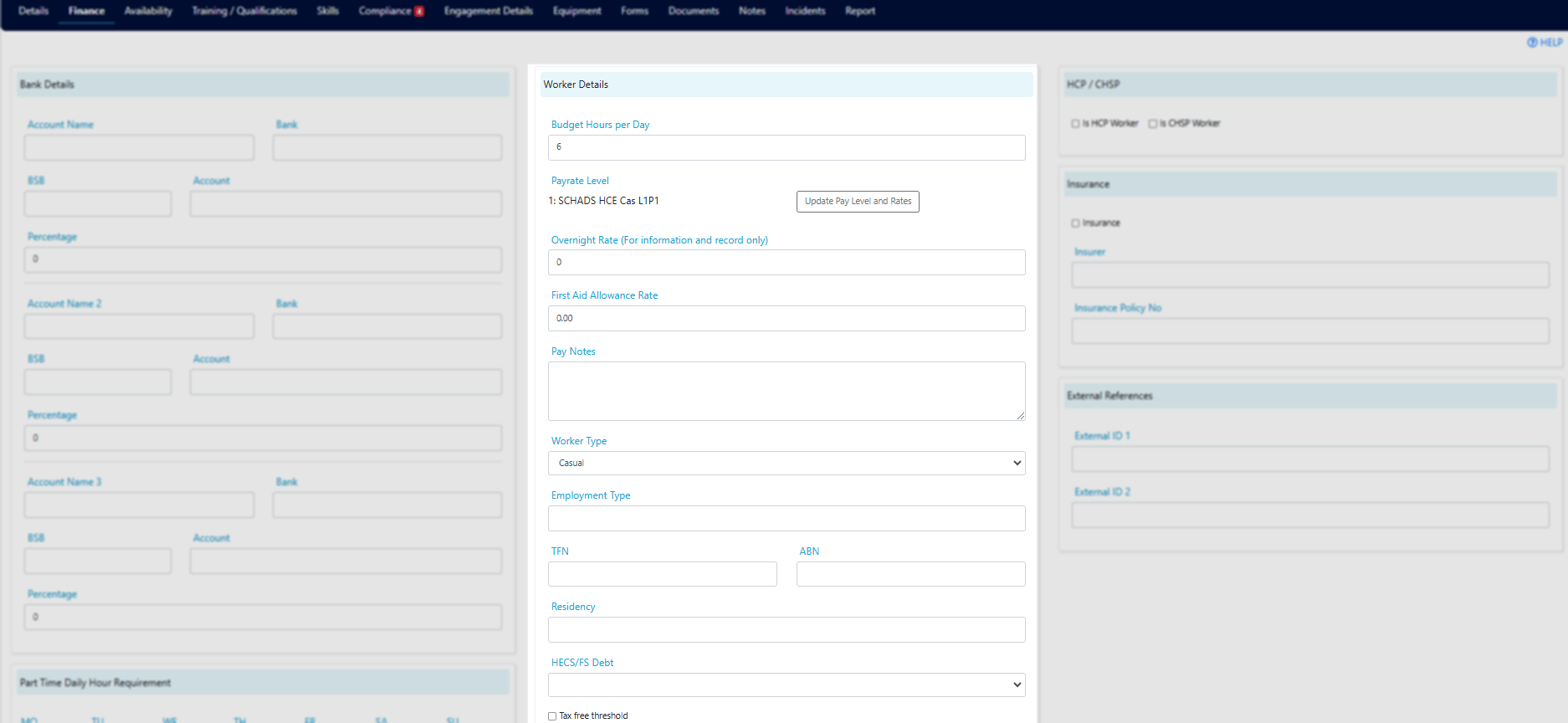
Select the worker's pay rate level and the date from which it applies, then click **Update**. This value is used for integration with your finance system.
### Pay rate level
Select the worker's pay rate level and the date from which it applies, then click **Update**. This value is used for integration with your finance system.
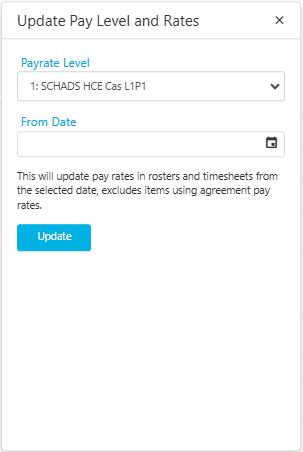 When a worker's pay rate level changes, update the level and the effective date here. The new level applies from the date entered.
### Additional pay fields
| Field | Description |
| ---------------------------- | ------------------------------------------------------------------------------------------------------------------------------------------------------------------------------------ |
| **Overnight Rate** | The worker's overnight rate (for information and record only) |
| **First Aid Allowance Rate** | The worker's allowance rate, exported to the finance system |
| **Pay Notes** | Notes related to the worker's pay (information only) |
| **Worker Type** | Select from the drop-down. Certain worker types change how the system behaves (for example, the "Service Provider" type adjusts mobile app settings to be service-provider specific) |
| **Employment Type** | Select from the drop-down |
### Tax and superannuation
When a worker's pay rate level changes, update the level and the effective date here. The new level applies from the date entered.
### Additional pay fields
| Field | Description |
| ---------------------------- | ------------------------------------------------------------------------------------------------------------------------------------------------------------------------------------ |
| **Overnight Rate** | The worker's overnight rate (for information and record only) |
| **First Aid Allowance Rate** | The worker's allowance rate, exported to the finance system |
| **Pay Notes** | Notes related to the worker's pay (information only) |
| **Worker Type** | Select from the drop-down. Certain worker types change how the system behaves (for example, the "Service Provider" type adjusts mobile app settings to be service-provider specific) |
| **Employment Type** | Select from the drop-down |
### Tax and superannuation
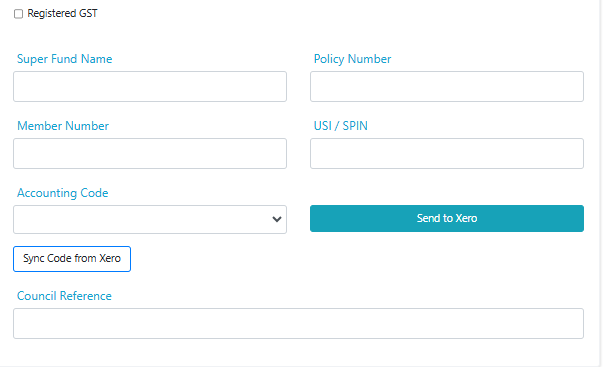 | Field | Description |
| ---------------------- | --------------------------------------------------------------------------------------------------- |
| **TFN** | Tax File Number (information only) |
| **ABN** | Australian Business Number (information only) |
| **Residency** | Residency status (information only) |
| **HECS/FS Debt** | HECS or Financial Supplement debt details (information only) |
| **Tax Free Threshold** | Tick if the worker has claimed the tax-free threshold (information only) |
| **Registered GST** | Tick if the worker is registered for GST (information only) |
| **Super Fund Name** | Superannuation fund name (information only) |
| **Policy Number** | Super policy number (information only) |
| **Member Number** | Super member number (information only) |
| **USI / SPIN** | Unique Superannuation Identifier or Superannuation Product Identification Number (information only) |
### Finance system integration
| Field | Description |
| ----------------------- | ------------------------------------------------------------------------------------------------------------------------------------ |
| **Accounting Code** | Select the worker's name from the drop-down. This links the Visualcare employee record to the employee record in your finance system |
| **Send to Xero** | Creates the contact in Xero for this worker |
| **Sync Code from Xero** | Syncs the worker name from Xero to appear in the accounting code drop-down |
| **Council Reference** | Reference number (information only) |
## HCP and CHSP
| Field | Description |
| ------------------ | ------------------------------------------------------------------------ |
| **Is HCP Worker** | Tick if the worker provides Home Care Package services |
| **Is CHSP Worker** | Tick if the worker provides Commonwealth Home Support Programme services |
## Insurance
| Field | Description |
| ----------------------- | ------------------------------------ |
| **Insurance** | Insurance details (information only) |
| **Insurer** | Insurer name (information only) |
| **Insurance Policy No** | Policy number (information only) |
## External references
| Field | Description |
| ----------------- | ------------------------------------------------------- |
| **External ID 1** | External reference number (information only) |
| **External ID 2** | Additional external reference number (information only) |
## Running into issues?
See [Worker management troubleshooting](/troubleshooting/general) for common errors and fixes.
## Related articles
Set daily budget hours to prevent over-rostering
Configure award details and pay rate overrides
Set up a new worker in Visualcare
| Field | Description |
| ---------------------- | --------------------------------------------------------------------------------------------------- |
| **TFN** | Tax File Number (information only) |
| **ABN** | Australian Business Number (information only) |
| **Residency** | Residency status (information only) |
| **HECS/FS Debt** | HECS or Financial Supplement debt details (information only) |
| **Tax Free Threshold** | Tick if the worker has claimed the tax-free threshold (information only) |
| **Registered GST** | Tick if the worker is registered for GST (information only) |
| **Super Fund Name** | Superannuation fund name (information only) |
| **Policy Number** | Super policy number (information only) |
| **Member Number** | Super member number (information only) |
| **USI / SPIN** | Unique Superannuation Identifier or Superannuation Product Identification Number (information only) |
### Finance system integration
| Field | Description |
| ----------------------- | ------------------------------------------------------------------------------------------------------------------------------------ |
| **Accounting Code** | Select the worker's name from the drop-down. This links the Visualcare employee record to the employee record in your finance system |
| **Send to Xero** | Creates the contact in Xero for this worker |
| **Sync Code from Xero** | Syncs the worker name from Xero to appear in the accounting code drop-down |
| **Council Reference** | Reference number (information only) |
## HCP and CHSP
| Field | Description |
| ------------------ | ------------------------------------------------------------------------ |
| **Is HCP Worker** | Tick if the worker provides Home Care Package services |
| **Is CHSP Worker** | Tick if the worker provides Commonwealth Home Support Programme services |
## Insurance
| Field | Description |
| ----------------------- | ------------------------------------ |
| **Insurance** | Insurance details (information only) |
| **Insurer** | Insurer name (information only) |
| **Insurance Policy No** | Policy number (information only) |
## External references
| Field | Description |
| ----------------- | ------------------------------------------------------- |
| **External ID 1** | External reference number (information only) |
| **External ID 2** | Additional external reference number (information only) |
## Running into issues?
See [Worker management troubleshooting](/troubleshooting/general) for common errors and fixes.
## Related articles
Set daily budget hours to prevent over-rostering
Configure award details and pay rate overrides
Set up a new worker in Visualcare