> ## Documentation Index
> Fetch the complete documentation index at: https://help.visualcare.com.au/llms.txt
> Use this file to discover all available pages before exploring further.
# Download worker rosters
> How to bulk download worker rosters as PDF or Excel files
You can download rosters for multiple workers at once, either as separate files or combined into a single document. This is useful for printing rosters or sharing them with workers who prefer a paper copy.
## Downloading rosters
Go to **Operations** → **Download Worker Rosters**.
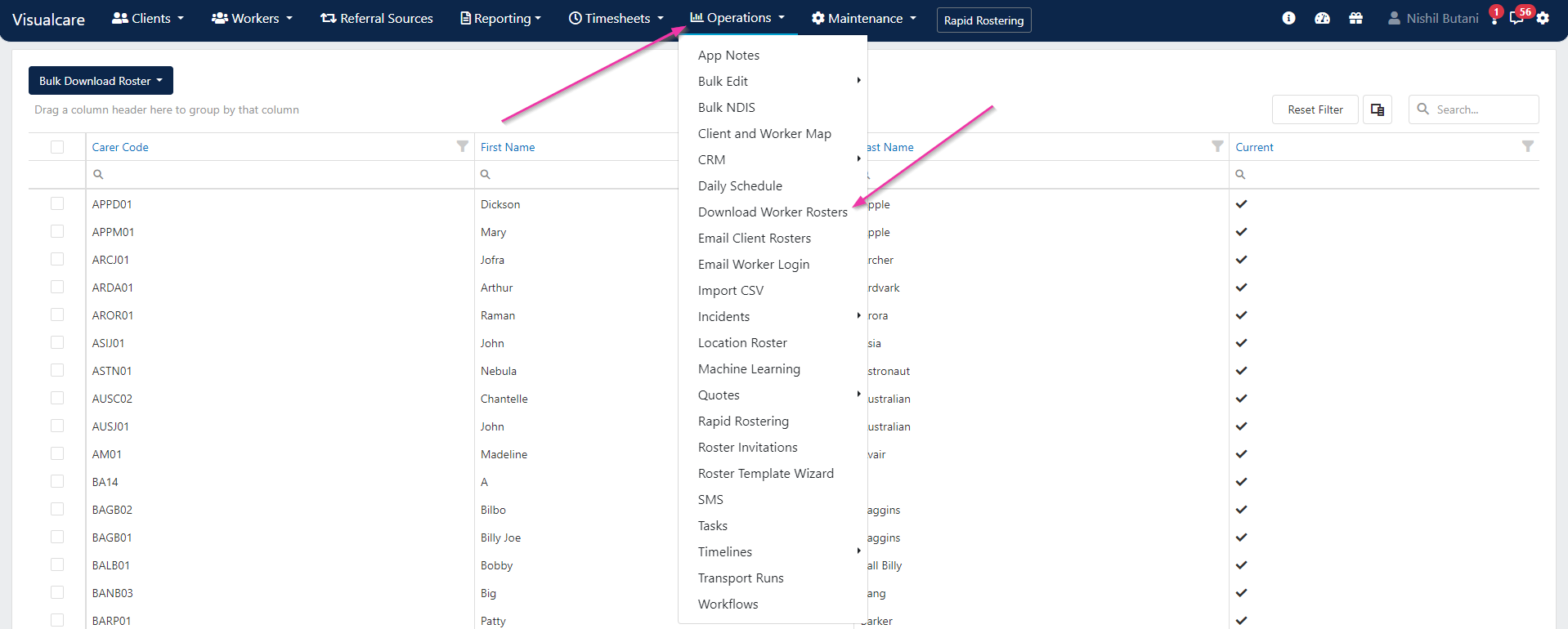 From the current workers list, tick the workers you want to download rosters for. Use the **Select All** tick box to download all worker rosters at once.
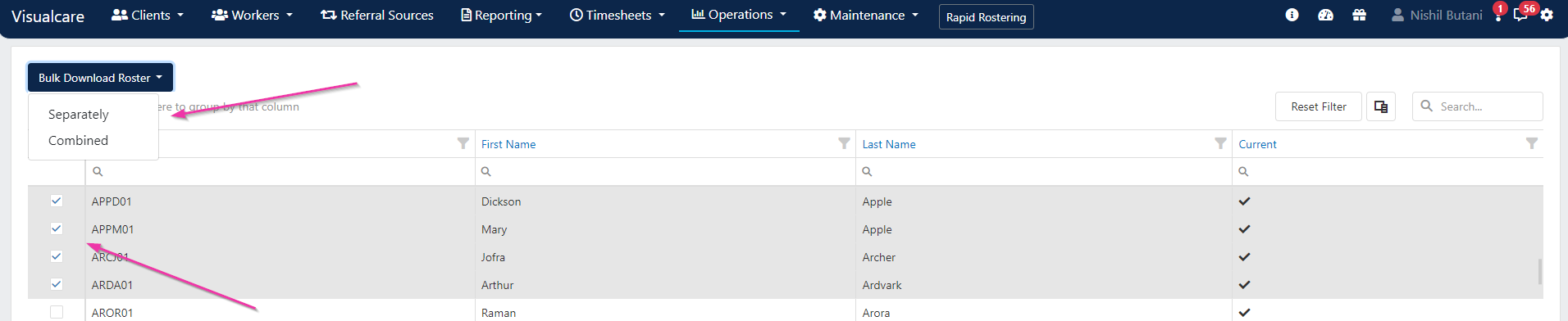
Choose whether to download rosters **separately** (one file per worker) or **combined** in one file, then click **Bulk Download Roster**.
From the current workers list, tick the workers you want to download rosters for. Use the **Select All** tick box to download all worker rosters at once.
Choose whether to download rosters **separately** (one file per worker) or **combined** in one file, then click **Bulk Download Roster**.
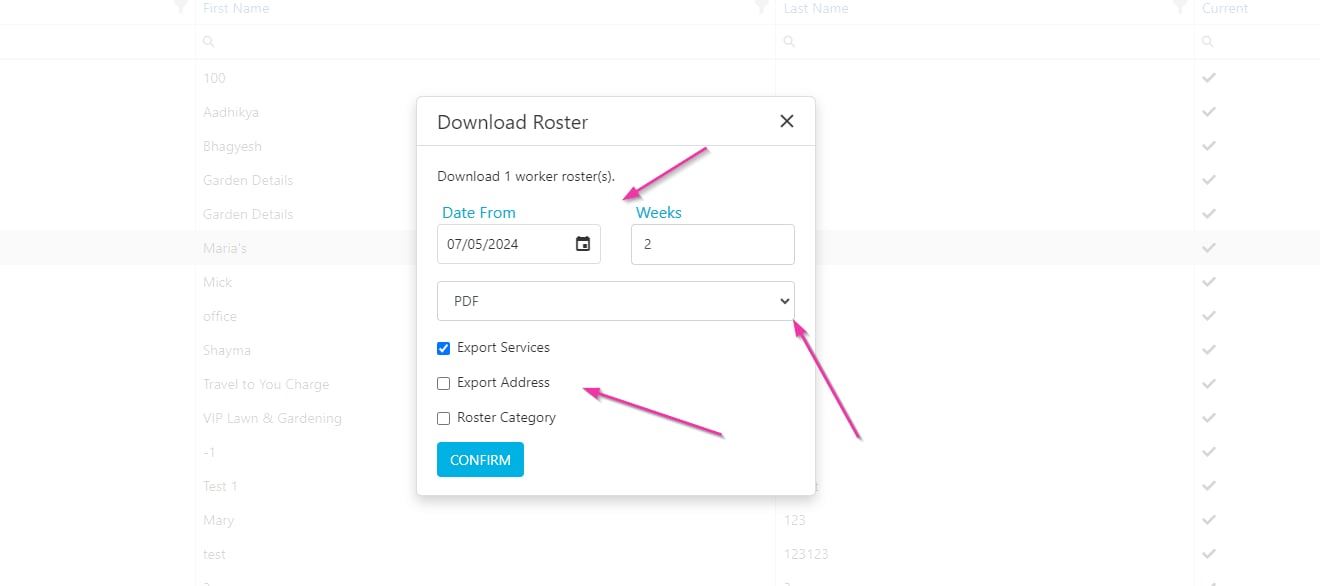
 In the confirmation dialogue, set the following:
| Field | Description |
| ---------------------- | ----------------------------------------- |
| **Start date** | Beginning of the date range |
| **Number of weeks** | How many weeks of roster data to include |
| **File type** | PDF or Excel |
| **Additional details** | Include services and categories as needed |
Click **Confirm** to start the download.
In the confirmation dialogue, set the following:
| Field | Description |
| ---------------------- | ----------------------------------------- |
| **Start date** | Beginning of the date range |
| **Number of weeks** | How many weeks of roster data to include |
| **File type** | PDF or Excel |
| **Additional details** | Include services and categories as needed |
Click **Confirm** to start the download.
 ## Running into issues?
See [Scheduling troubleshooting](/troubleshooting/rostering-issues) for common errors and fixes.
## Related articles
Email roster summaries to clients
View and manage rosters across workers and clients
## Running into issues?
See [Scheduling troubleshooting](/troubleshooting/rostering-issues) for common errors and fixes.
## Related articles
Email roster summaries to clients
View and manage rosters across workers and clients