> ## Documentation Index
> Fetch the complete documentation index at: https://help.visualcare.com.au/llms.txt
> Use this file to discover all available pages before exploring further.
# Organisation document storage
> Store, manage, and control access to documents at the organisation level in Visualcare
The organisation document storage area in VCore lets you upload and manage documents centrally, outside of individual client or worker profiles. Documents stored here can be made visible to workers and clients through their respective apps.
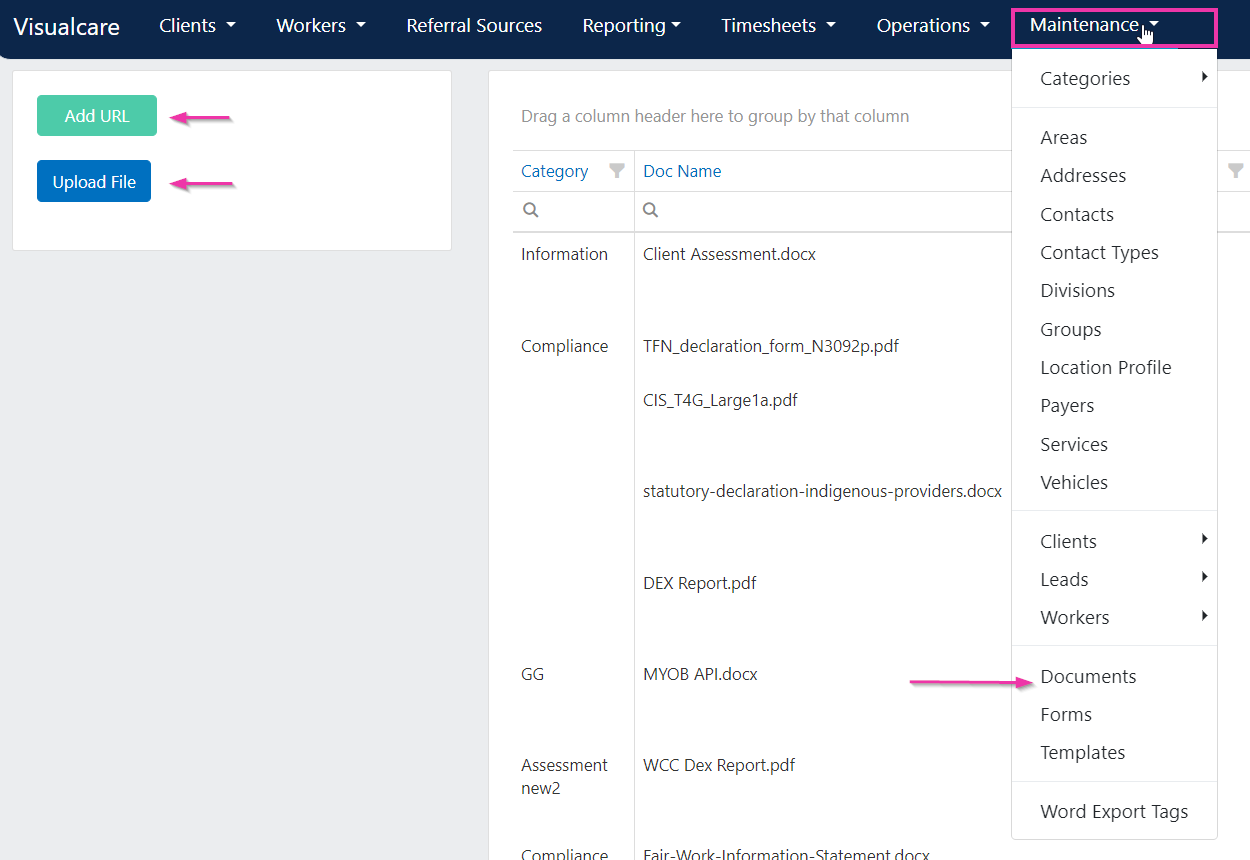
Navigate to **Maintenance** → **Documents** to access organisation-level document storage.
 ## Uploading documents
You can upload files or add URL links to the documents page.
1. Click **Add a File** or **Add a URL** at the top of the page
2. Select or upload the document
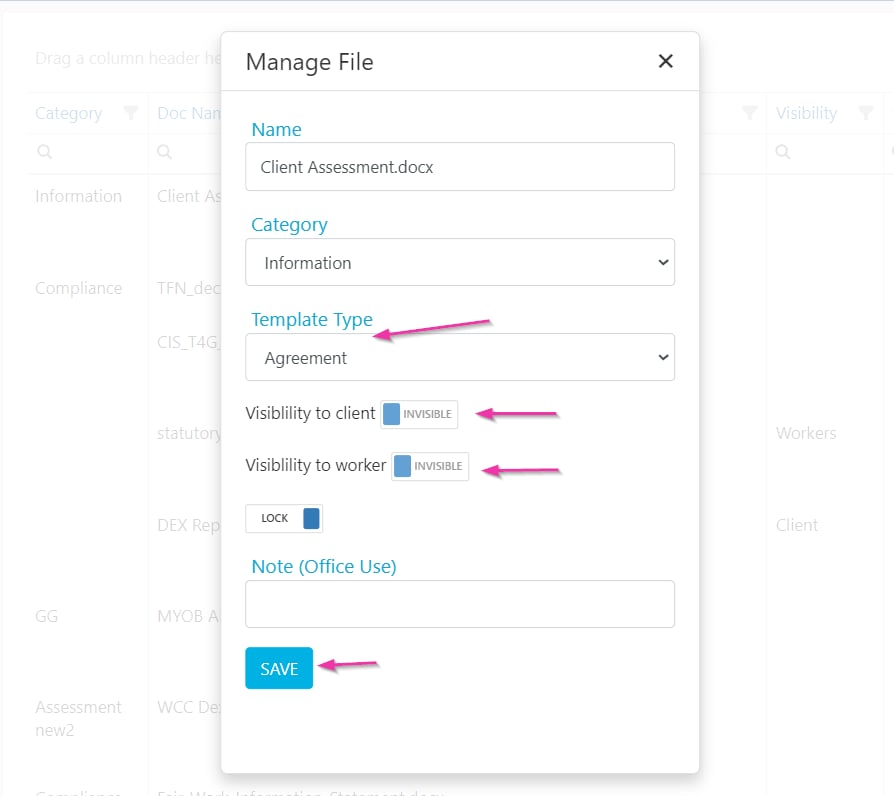
3. Click **Manage** to configure settings for the uploaded document
## Uploading documents
You can upload files or add URL links to the documents page.
1. Click **Add a File** or **Add a URL** at the top of the page
2. Select or upload the document
3. Click **Manage** to configure settings for the uploaded document
 ## Visibility settings
When managing a document, set its visibility to control who can access it:
| Setting | Description |
| --------------------- | ------------------------------------------------------------------ |
| **Visible to worker** | Makes the document accessible to workers on the Vworker mobile app |
| **Visible to client** | Makes the document accessible to clients on their app |
## Locking documents
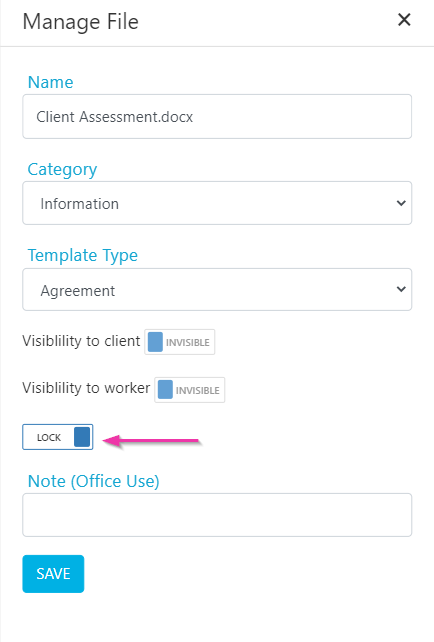
Documents can be locked to prevent accidental deletion. When a document is locked, the delete button is disabled.
## Visibility settings
When managing a document, set its visibility to control who can access it:
| Setting | Description |
| --------------------- | ------------------------------------------------------------------ |
| **Visible to worker** | Makes the document accessible to workers on the Vworker mobile app |
| **Visible to client** | Makes the document accessible to clients on their app |
## Locking documents
Documents can be locked to prevent accidental deletion. When a document is locked, the delete button is disabled.
 ## Document categories and permissions
### Requiring a category on upload
If the setting **User Must Select Document Category When Uploading** is enabled (in **Settings** → **General**), you need to select a document category before uploading any file.
### Managing access permissions
Users only have access to documents for which they are granted permission. Document permissions are managed under **Maintenance** → **Categories** → **Document Categories**, where you set access by user group and worker type.
## Running into issues?
See [General troubleshooting](/troubleshooting/general) for common errors and fixes.
## Related articles
Upload Word templates with export tags
Manage document categories and other list values
## Document categories and permissions
### Requiring a category on upload
If the setting **User Must Select Document Category When Uploading** is enabled (in **Settings** → **General**), you need to select a document category before uploading any file.
### Managing access permissions
Users only have access to documents for which they are granted permission. Document permissions are managed under **Maintenance** → **Categories** → **Document Categories**, where you set access by user group and worker type.
## Running into issues?
See [General troubleshooting](/troubleshooting/general) for common errors and fixes.
## Related articles
Upload Word templates with export tags
Manage document categories and other list values