> ## Documentation Index
> Fetch the complete documentation index at: https://help.visualcare.com.au/llms.txt
> Use this file to discover all available pages before exploring further.
# Required compliance overview
> How to set up and manage required compliance items for clients and workers across your organisation
Visualcare lets you define compliance items that your clients and workers need to meet. These items are configured centrally in **Maintenance** and then flow through to individual profiles, giving you a single place to manage compliance requirements across your organisation.
This page covers how to set up compliance items and templates at the organisational level. For managing compliance on individual profiles, see [Client compliance](/client-management/managing-client-compliance) and [Worker compliance](/worker-management/managing-worker-compliance).
## Client compliance items
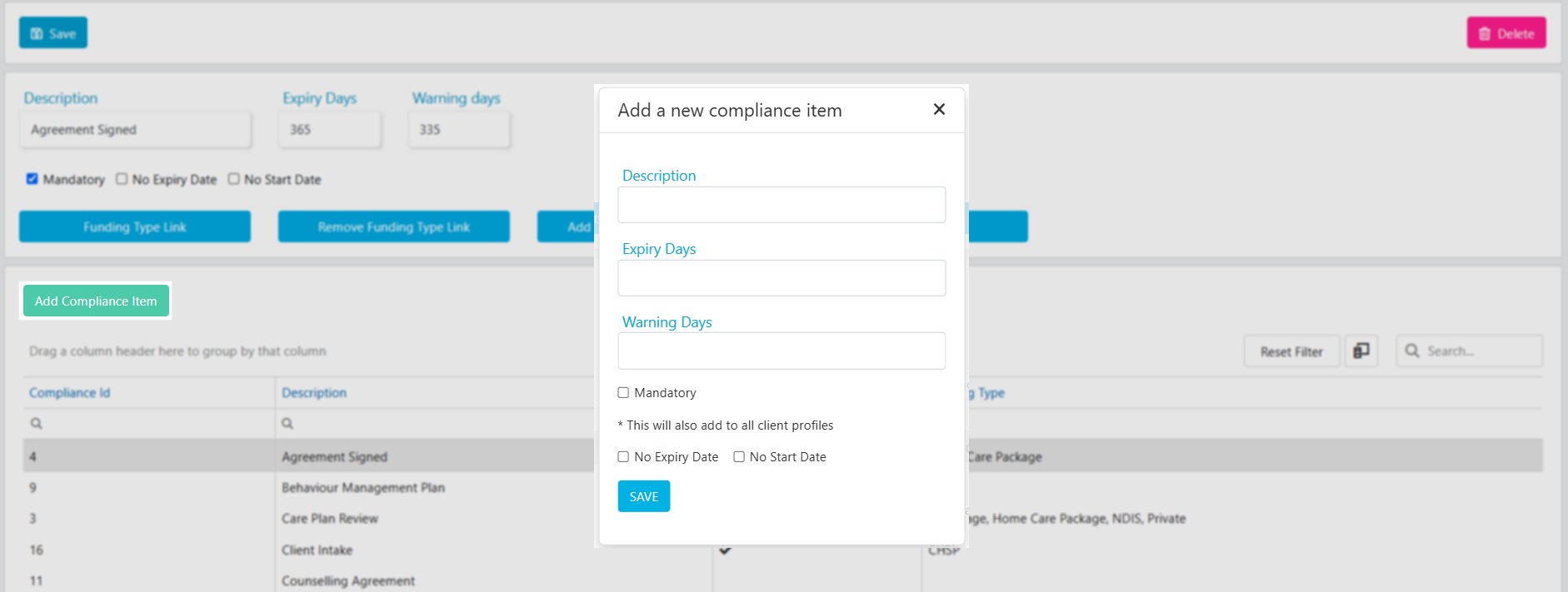
Client compliance items are the requirements you track against each client profile. You configure the master list in **Maintenance** → **Clients** → **Client Compliance**, and individual items are then added to the [client profile compliance tab](/client-management/managing-client-compliance).
To add a new compliance item, click **Add Compliance Item** and enter the necessary details. You can edit any compliance item after it's been added to the list.
 ### Linking compliance items to funding types
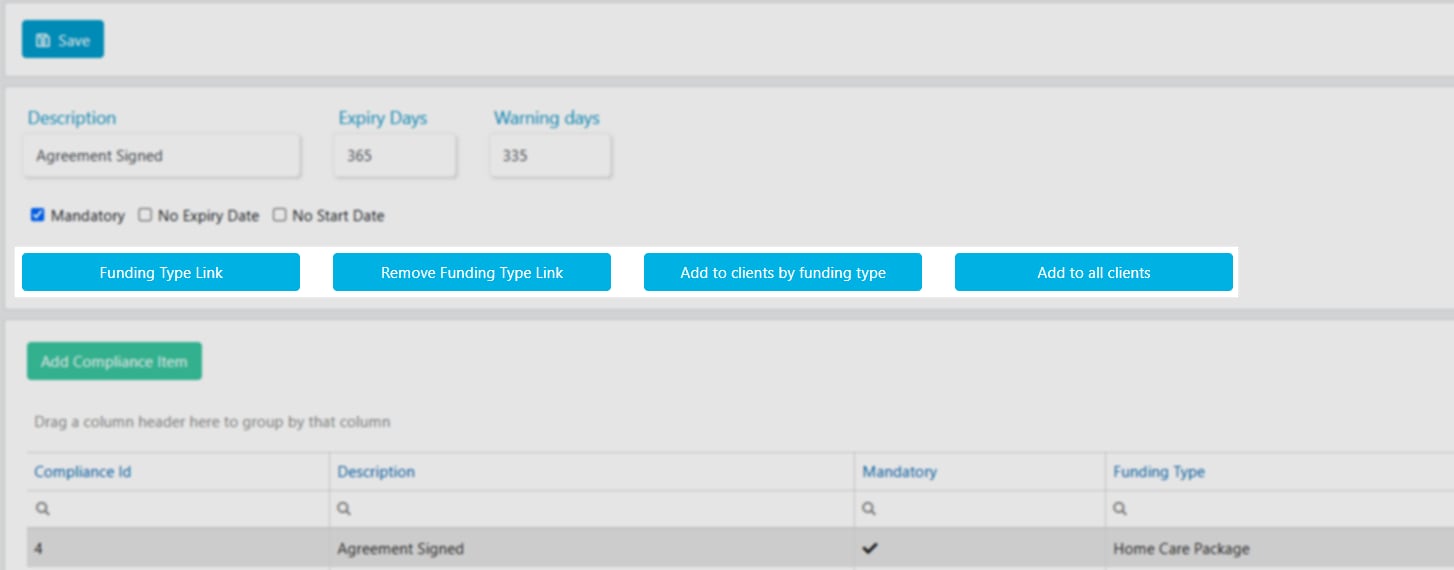
There are several options for linking compliance items to client profiles:
* **Link to a funding type** - the compliance item is tied directly to a specific funding type
* **Add to clients by funding type** - the compliance item is added to all clients with a particular funding type
* **Add to all clients** - the compliance item is added to every client regardless of their funding type
If client compliance items are not linked to any funding type, all compliance items are automatically added to new client profiles when they are created.
### Linking compliance items to funding types
There are several options for linking compliance items to client profiles:
* **Link to a funding type** - the compliance item is tied directly to a specific funding type
* **Add to clients by funding type** - the compliance item is added to all clients with a particular funding type
* **Add to all clients** - the compliance item is added to every client regardless of their funding type
If client compliance items are not linked to any funding type, all compliance items are automatically added to new client profiles when they are created.
 ## Client compliance templates
Client compliance templates let you add multiple **required worker compliances** to the [client profile preferences tab](/client-management/preferences) in one go. This is useful when a client has specific requirements about which worker compliance items their support workers need to hold.
Go to **Maintenance** → **Clients** → **Client Compliance Template**. Click **Add Compliance Template**, enter the **Template Name**, and click **Save**.
Click **Add Compliance Item**, select the items from the drop-down list, and click **Save**.
Click **Add Clients**, tick the clients you want to add this template to, and click **Save**.
The client list only displays clients who don't already have this compliance template assigned.
## Client compliance templates
Client compliance templates let you add multiple **required worker compliances** to the [client profile preferences tab](/client-management/preferences) in one go. This is useful when a client has specific requirements about which worker compliance items their support workers need to hold.
Go to **Maintenance** → **Clients** → **Client Compliance Template**. Click **Add Compliance Template**, enter the **Template Name**, and click **Save**.
Click **Add Compliance Item**, select the items from the drop-down list, and click **Save**.
Click **Add Clients**, tick the clients you want to add this template to, and click **Save**.
The client list only displays clients who don't already have this compliance template assigned.
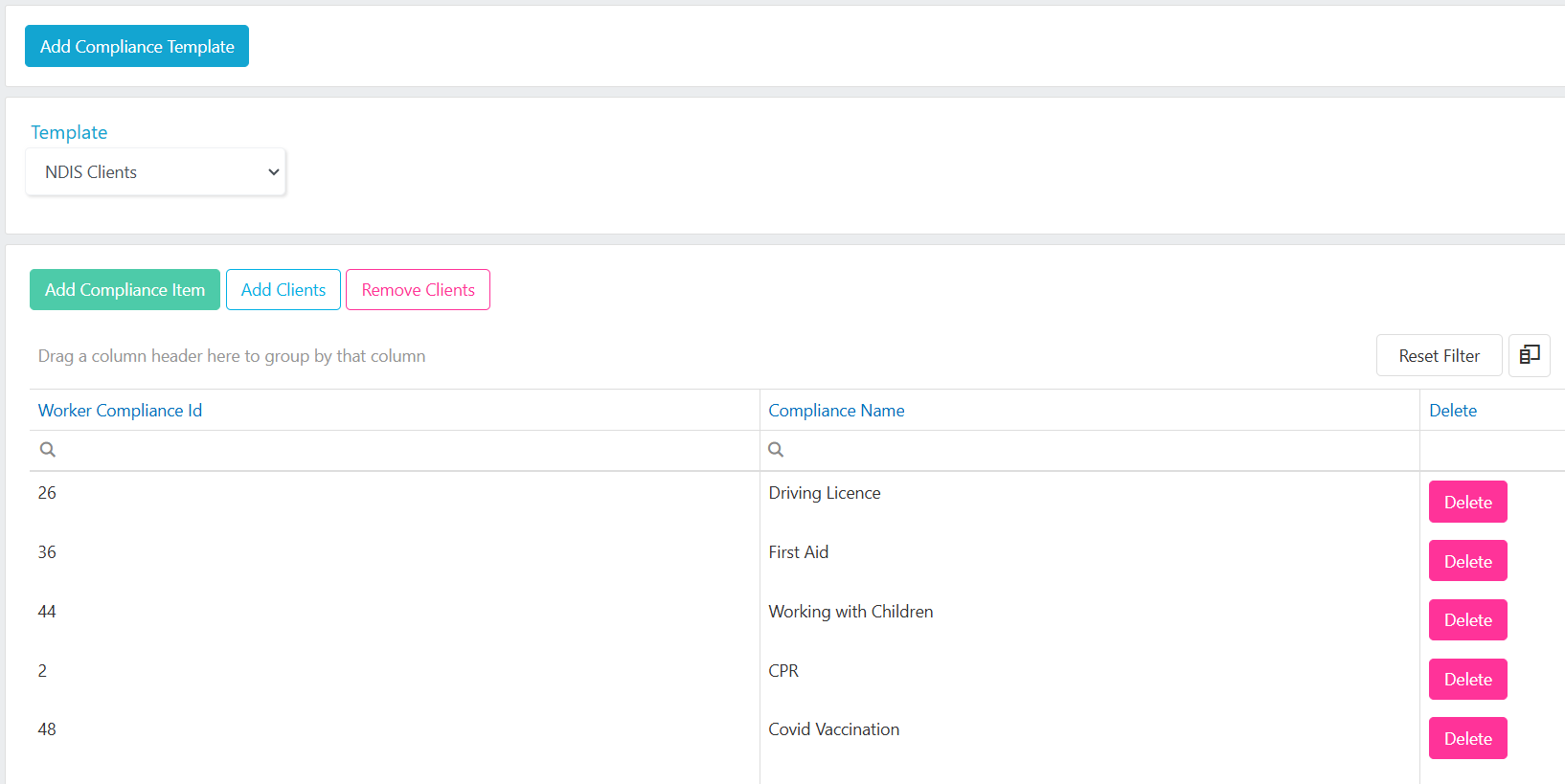 To remove a compliance template from clients, click **Remove Clients**. The list only displays clients who currently have the template assigned.
## Worker compliance items
Worker compliance items are the requirements you track against each worker profile. You configure the master list in **Maintenance** → **Workers** → **Worker Compliance**, and individual items are then managed on the [worker profile compliance tab](/worker-management/managing-worker-compliance).
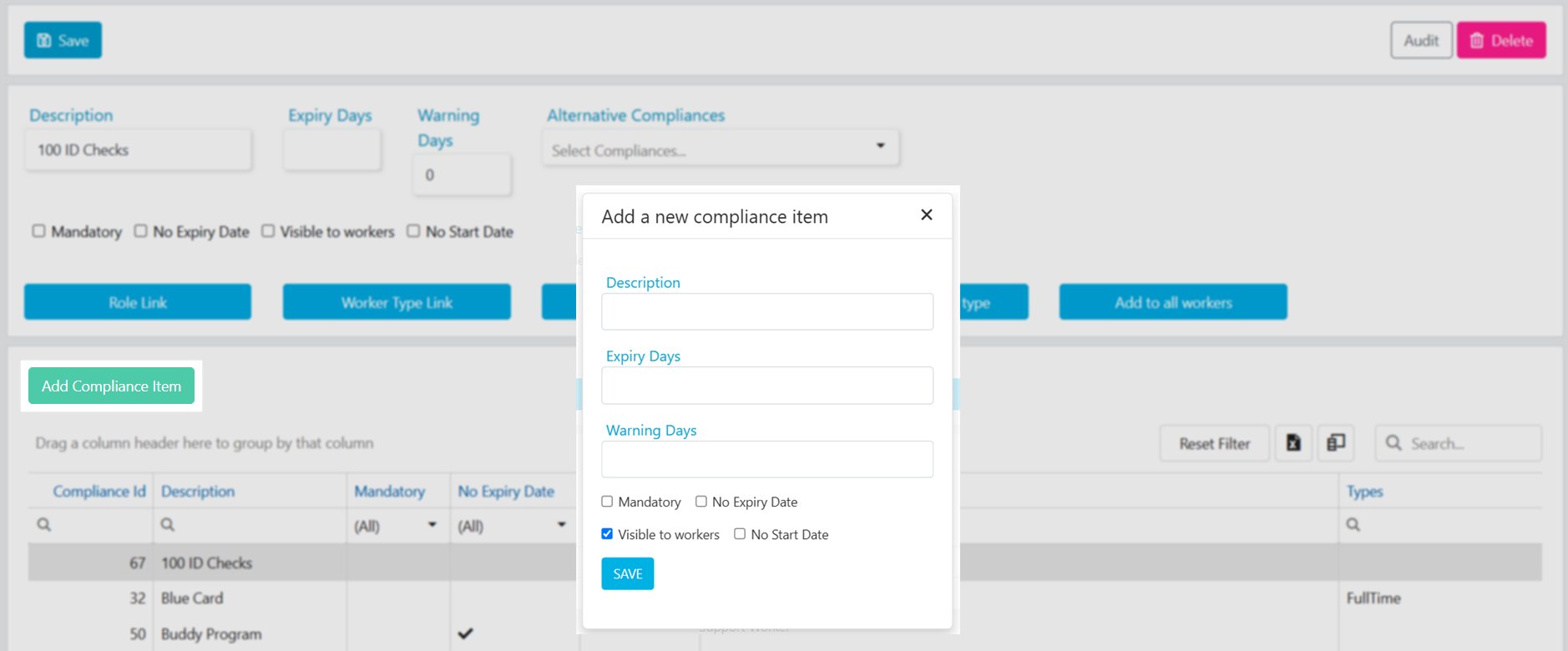
To add a compliance item, click **Add Compliance Item**, enter the details below, and click **Save**.
| Field | Description |
| ---------------------- | -------------------------------------------------------------------------------------------------------------------------------------- |
| **Description** | The name of the compliance item |
| **Expiry Days** | How many days from the start date until the item expires. For example, set this to 365 for annual renewal |
| **Warning Days** | How many days from the start date until the alert date. For example, set this to 335 for a 30-day warning before annual renewal expiry |
| **Mandatory** | Tick this if the compliance item is mandatory for all workers |
| **No Expiry Date** | Tick this if the compliance item does not expire |
| **Visible to Workers** | Tick this to make the compliance item visible to workers in Vworker |
| **No Start Date** | Tick this if the compliance item does not have a start date |
To remove a compliance template from clients, click **Remove Clients**. The list only displays clients who currently have the template assigned.
## Worker compliance items
Worker compliance items are the requirements you track against each worker profile. You configure the master list in **Maintenance** → **Workers** → **Worker Compliance**, and individual items are then managed on the [worker profile compliance tab](/worker-management/managing-worker-compliance).
To add a compliance item, click **Add Compliance Item**, enter the details below, and click **Save**.
| Field | Description |
| ---------------------- | -------------------------------------------------------------------------------------------------------------------------------------- |
| **Description** | The name of the compliance item |
| **Expiry Days** | How many days from the start date until the item expires. For example, set this to 365 for annual renewal |
| **Warning Days** | How many days from the start date until the alert date. For example, set this to 335 for a 30-day warning before annual renewal expiry |
| **Mandatory** | Tick this if the compliance item is mandatory for all workers |
| **No Expiry Date** | Tick this if the compliance item does not expire |
| **Visible to Workers** | Tick this to make the compliance item visible to workers in Vworker |
| **No Start Date** | Tick this if the compliance item does not have a start date |
 ### Linking compliance items to roles and types
You can link worker compliance items to a **Worker Role** or **Worker Type**. When you do this, workers assigned to that role or type automatically have the linked compliance items added when their profile is created and the role or type is selected.
Alternatively, when creating a new compliance item, you can add it to all workers, or add it by role or type using the applicable button.
### Linking compliance items to roles and types
You can link worker compliance items to a **Worker Role** or **Worker Type**. When you do this, workers assigned to that role or type automatically have the linked compliance items added when their profile is created and the role or type is selected.
Alternatively, when creating a new compliance item, you can add it to all workers, or add it by role or type using the applicable button.
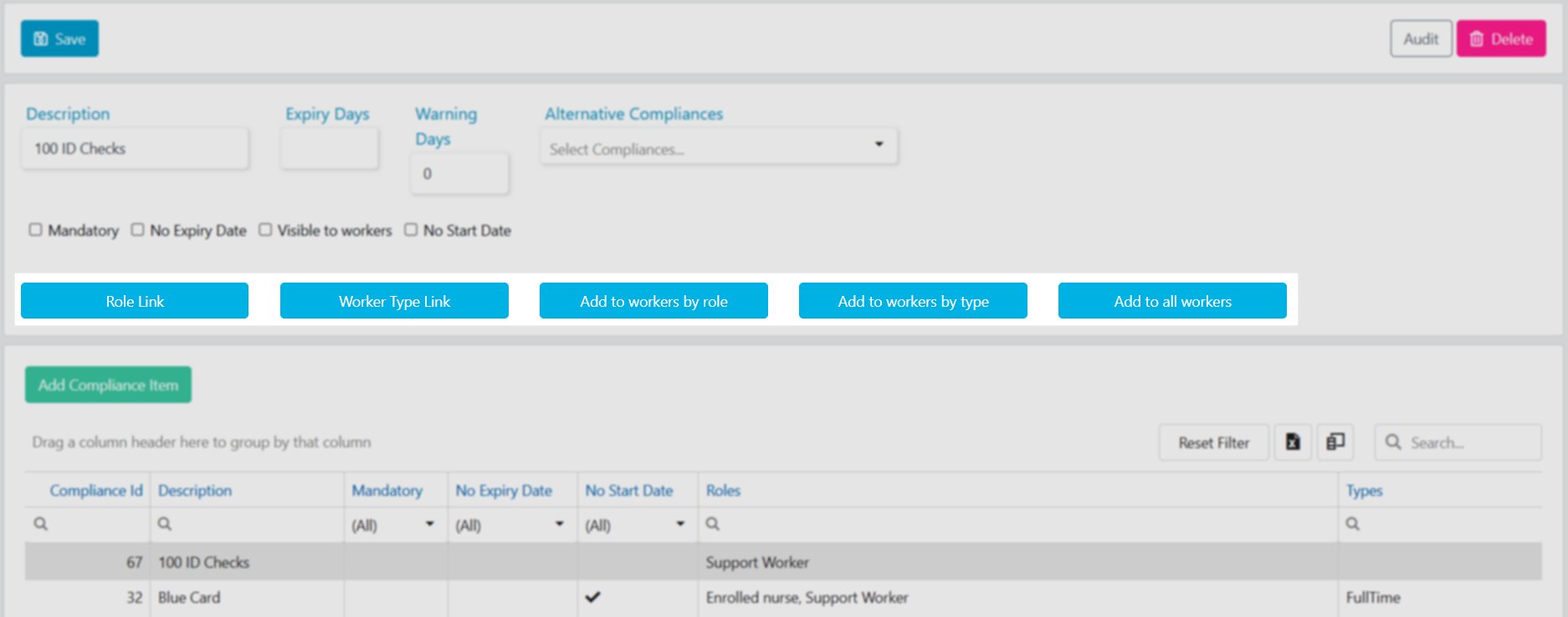 Linking compliance items to worker roles is a good way to ensure new starters automatically get the right compliance requirements based on their position.
## Running into issues?
See [Compliance troubleshooting](/troubleshooting/general) for common errors and fixes.
## Related articles
Manage compliance items on individual client profiles
Manage compliance items on individual worker profiles
Run compliance reports across your client base
Run compliance reports across your workforce
Linking compliance items to worker roles is a good way to ensure new starters automatically get the right compliance requirements based on their position.
## Running into issues?
See [Compliance troubleshooting](/troubleshooting/general) for common errors and fixes.
## Related articles
Manage compliance items on individual client profiles
Manage compliance items on individual worker profiles
Run compliance reports across your client base
Run compliance reports across your workforce